
Snapchat Story
A Snapchat Story is a collection of photos and videos (called Snaps) that play one after another and stay visible to your chosen audience for 24 hours before disappearing. Unlike a regular Snap sent to one person, a Story is shared with a wider group, your friends, a select few, or even the public — and can be rewatched as many times as someone likes during that 24-hour window. This guide covers every type of Story, how viewing actually works, and everything you need to know to use this feature with confidence.
Of everything Snapchat has ever built, the Story is arguably the feature that changed social media the most. It’s the format Instagram, Facebook, WhatsApp, and even LinkedIn eventually copied. But if you’re new to Snapchat — or you’ve been using it for years without really understanding how the pieces fit together — the Story feature can feel surprisingly layered once you start asking questions.
This guide starts from the absolute basics and builds up to everything else: the different Story types, how viewing actually works behind the scenes, and the smaller features connected to it that often confuse people the most.
1. What Is a Snapchat Story?
A Snapchat Story is a collection of Snaps, photos and short videos that play one after another in the order you took them. Think of it like a digital window into someone’s day. You post a moment, and for one full day, the people you allow can look through that window as many times as they want.
The key idea that makes Stories different from everything else on Snapchat is the audience. A regular Snap goes to one person (or a small list you choose) and disappears as soon as it’s viewed. A Story, however, is posted once and made available to a wider audience for 24 hours, allowing friends to view it whenever they like during that time. If you’re exploring Snapchat features through Snapchat Planets, understanding how Stories work is essential because they play a major role in how users share moments and interact on the platform.
Official Definition: According to Snapchat’s own support documentation, a Story is “a collection of Snaps that play in the order they were taken,” viewable an unlimited number of times within 24 hours.
2. Snap vs Story | What’s the Real Difference?
This is the single most common point of confusion for anyone new to the app, and it’s worth being completely clear about, since every other feature builds on this distinction.
| Feature | Snap | Story |
|---|---|---|
| Who sees it | One person or a small chosen list | A broader audience — friends, a custom list, or public |
| How long it last | 1–10 seconds, then disappears after viewing | 24 hours, viewable unlimited times in that window |
| Can it be rewatched? | Generally no, once viewed it’s gone | Yes — as many times as you like within 24 hours |
| Where it lives | In a private chat conversation | On your profile, visible on the Stories screen |
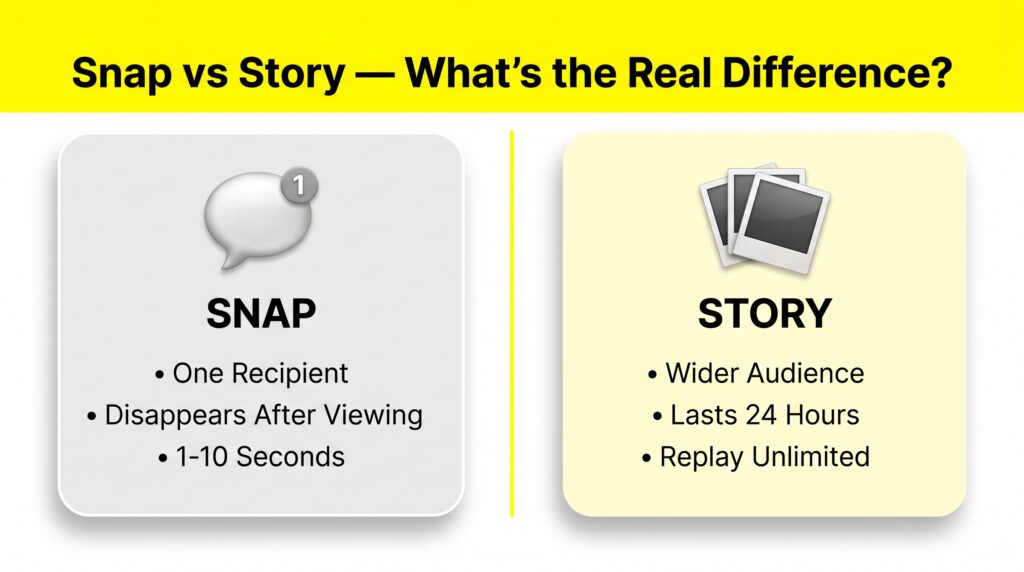
Simple Way to Remember It: A Snap is a whisper to one person. A Story is a message posted on a board that anyone you’ve allowed can walk by and read for one day.
3. How Long Does a Snapchat Story Last?
By default, every Snapchat Story lasts 24 hours from the moment you post it. After that window closes, the Story disappears automatically; there’s no manual deletion required, and once it’s gone, it’s gone (unless you’ve saved it elsewhere first).
What Happens Within Those 24 Hours:
- Friends can view your Story an unlimited number of times.
- You can keep adding new Snaps to extend and build the Story throughout the day.
- You can check your complete viewer list to see exactly who has watched.
- If you have Snapchat+, you’ll also see a 👀 rewatch indicator for friends who watched more than once, covered fully in our guide to what the eyes mean on Snapchat stories.
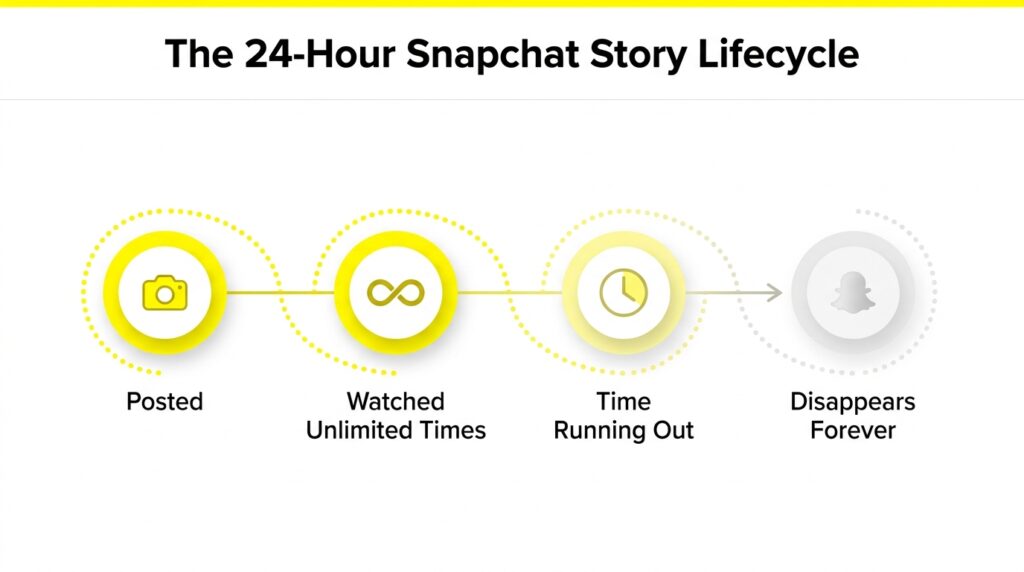
Important: Once a Story expires, the viewer list disappears with it permanently. There is no way to find out who viewed an expired Story on Snapchat or through any third-party tool. If you want to keep the content (not the viewer data), save it to Memories before it expires.
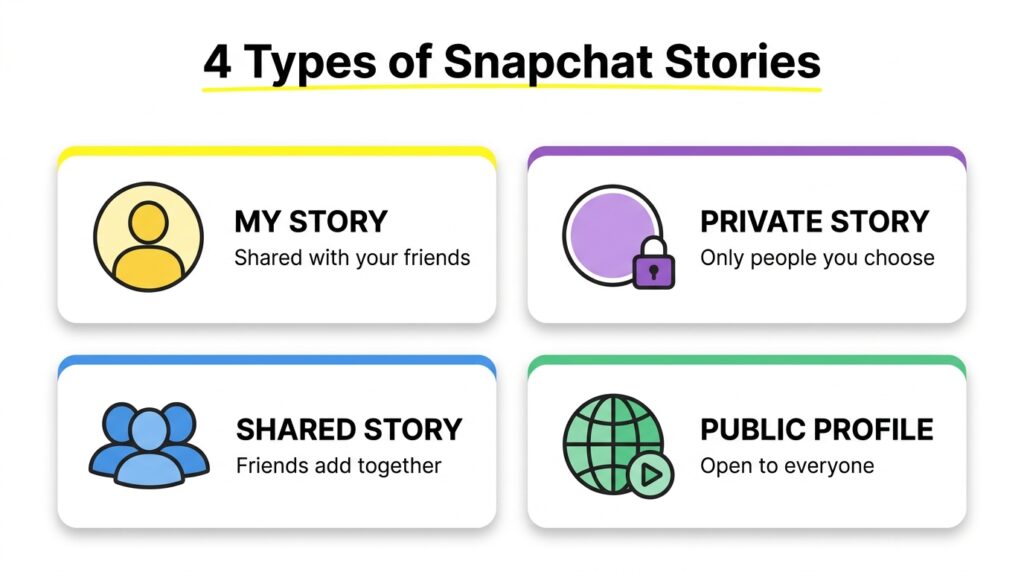
4. All Types of Snapchat Stories Explained
This is where many articles stop short, but understanding the different Story types is genuinely useful because each one works a little differently.
📱 My Story
The default Story type. Posted to your profile and is visible to whoever you’ve allowed in your privacy settings — typically all your friends, though you can restrict this. This is what most people mean when they casually say “I posted a story.”
🔒 Private Story
Shared only with a specific, hand-picked group of people you select, not your entire friends list. It appears with a padlock icon, so viewers know it’s exclusive. If you’ve ever wondered what that lock symbol means when you see it on a friend’s profile, our purple circle and lock icon guide covers it in detail.
👥 Shared Stories (formerly Custom Stories)
A collaborative Story where multiple people can add their own Snaps to the same Story. According to Snapchat’s official support page, “Shared Stories are for you and your friends. Only you and the friends you pick can view and add Snaps to a Shared Story.” If updated regularly, it even earns its own fire-streak icon, similar to friend streaks.
🌍 Public Profile Story
Used by creators, businesses, and public figures with a Public Profile enabled. These Stories can be viewed by anyone on Snapchat, not just your friends, and come with broader analytics through Creator Tools. This is the version most relevant to brands and influencers building an audience.
| Story Type | Who Can View | Who Can Add Content |
|---|---|---|
| My Story | Your friends (or as set in private) | Only you |
| Private Story | Only people you select | Only you (unless made collaborative) |
| Shared Story | Members you’ve added | Any member of the group |
| Public Profile Story | Anyone on Snapchat | Only the profile owner |
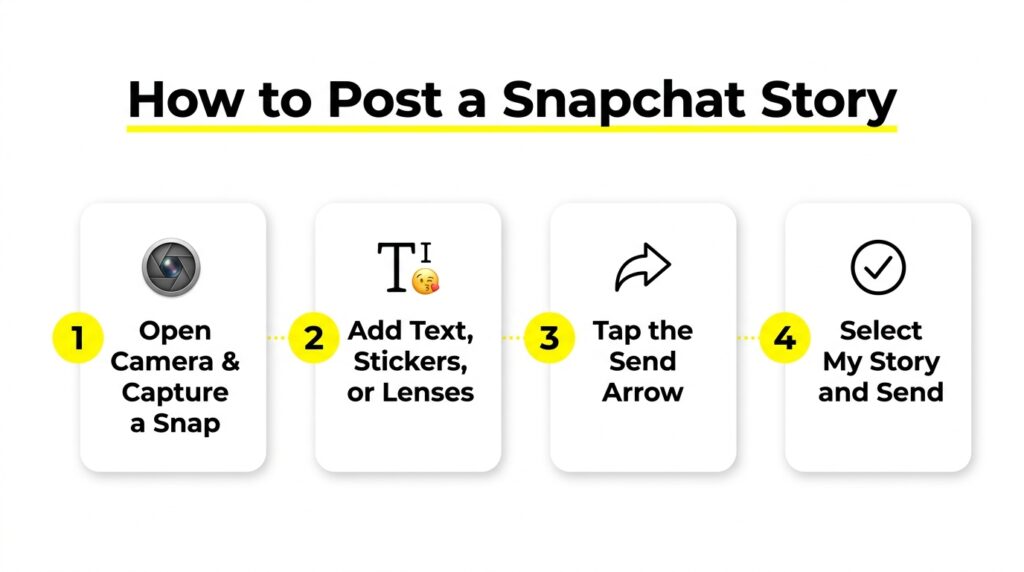
5. How to Post a Snapchat Story?
- Open Snapchat, and it opens directly to the camera screen.
- Take a photo (tap) or video (press and hold) using the capture button.
- Add any text, stickers, drawings, or lenses you want.
- Tap the send arrow in the bottom-right corner.
- Select “My Story” (or your preferred Story type) from the send-to list.
- Tap Send to your Story is now live for 24 hours.
Pro Tip: You can add multiple Snaps to build out a longer Story throughout the day — each individual Snap within the Story plays for up to 10 seconds before moving to the next one.
6. How to View a Friend’s Story
- Open Snapchat and go to the Stories screen.
- Tap the tile with your friend’s name at the top of the screen.
- The Story plays automatically — tap to advance, swipe to skip to the next friend’s Story, or swipe down to exit.
- To reply directly to a specific Snap, press and hold on it, then type your response.
According to Snapchat’s official guidance, if there’s no Story marker beside a friend’s name, you’re already caught up — there’s nothing new to see from them at that moment.
7. Why Is the Story Viewing Order Like That?
One detail that confuses a lot of people: the order Stories appear in on your screen, and the order names appear in your own viewer list, often doesn’t feel random — and it isn’t.
As one detailed explainer on this exact topic puts it: “Many people assume the list is random or strictly chronological. In reality, it’s influenced by interaction patterns… Think of it like a party guest list pinned to a board. The names at the top aren’t ‘better ‘; they’re just the ones you interact with most often.”
What This Actually Means: The friends whose Stories show up first for you — and the viewers who show up first on your own list — generally reflect who you interact with most, not some kind of ranking of importance. It’s a reflection of activity patterns, similar to how friend emojis are calculated based on snapping frequency rather than manual selection.
8. Who Can See Your Story?
This comes down entirely to your privacy settings and which Story type you’re posting to. Here’s the breakdown:
- Blocked users will never see your Stories, regardless of type
- Removed friends lose access too, unless your Story is set to public
- Custom privacy settings let you exclude specific people from seeing your Story, even if they’re still your friends.
- Public Stories work differently; anyone can view them, similar to “speaking on a stage instead of in a living room,” as one guide nicely puts it
You can adjust exactly who sees your Story by going to Settings → “Who Can…” → View My Story, and choosing between “Everyone,” “My Friends,” or a custom list.
9. Everything Else You Can Do With a Story
| Action | How |
|---|---|
| Save to Memories | Tap the Story → tap the download/save icon before it expires |
| Reply to a Snap in someone’s Story | Press and hold the Snap, then type your message |
| Send a Snap from a Story | Press and hold, tap the blue arrow button, choose recipients |
| Delete your own Story | Go to your Story → tap the three dots → Delete |
| See who screenshotted your Story | Automatic notification sent to you |
| Check who viewed your Story | Swipe up while viewing your own active Story |
10. Common Myths About Snapchat Stories | Busted
❌ Myth: “Stories are basically the same as a Snap, just shared with more people.”
✅ Truth: They behave fundamentally differently — Snaps disappear after one view, while Stories persist for 24 hours and can be rewatched unlimited times in that window.
❌ Myth: “Repeat views of your story notify you or change how the viewer’s name appears.”
✅ Truth: Repeat views generally don’t trigger a separate notification or change the name’s appearance in your basic viewer list — though Snapchat+ subscribers get a separate rewatch count.
❌ Myth: “Blocking someone after they’ve viewed your story removes them from the history.”
✅ Truth: Blocking affects future access, but it doesn’t always remove a person from previously recorded views that already happened.
11. Frequently Asked Questions
Conclusion:
The Snapchat Story is deceptively simple on the surface: post a photo or video, and it lasts a day, but the system underneath has real depth once you start exploring it. Understanding the difference between Snaps and Stories, knowing which Story type fits your situation, and recognizing how viewing order actually works will make the entire app feel far less mysterious.