
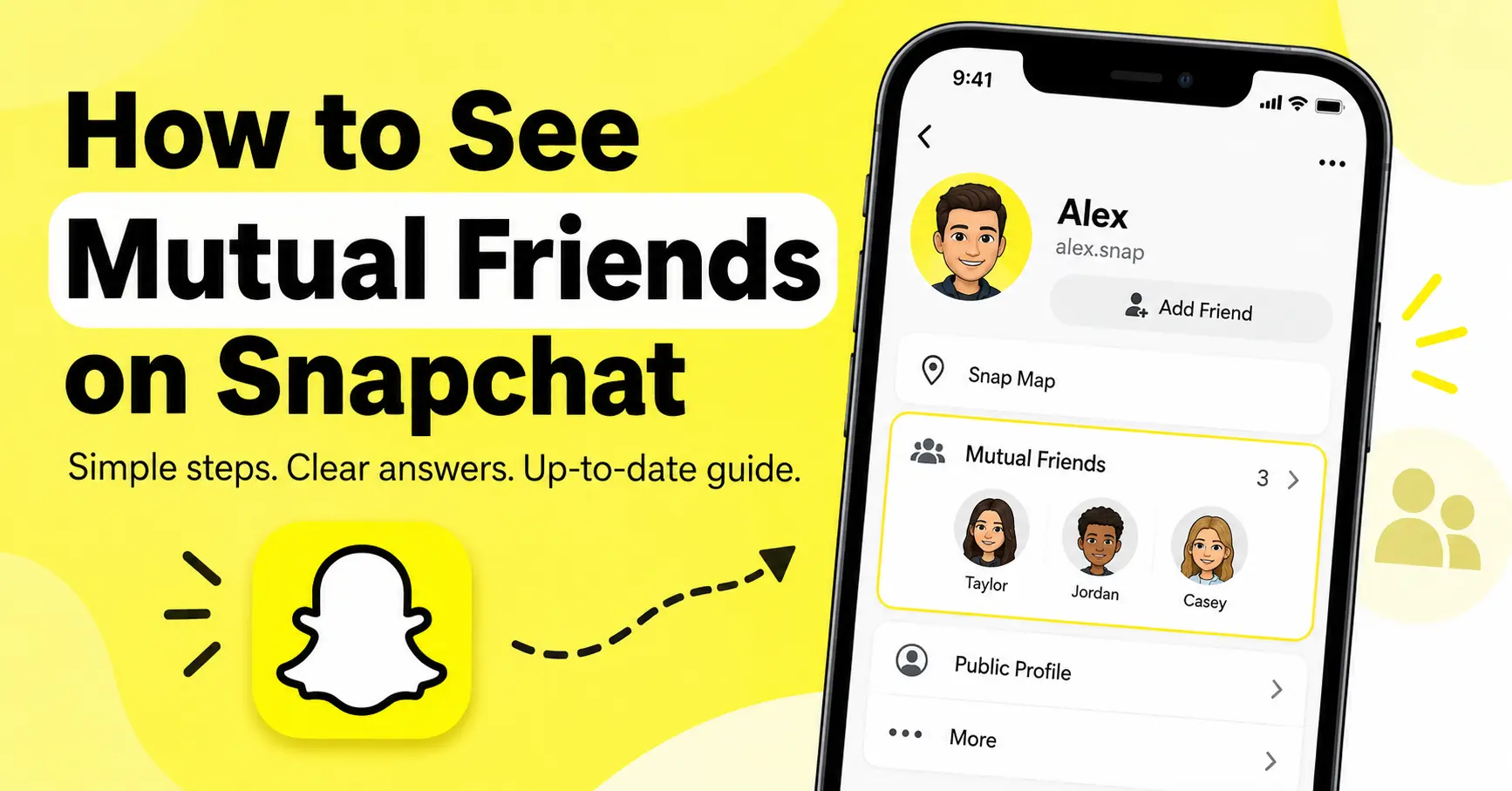
How to See Mutual Friends on Snapchat
Yes, you can see mutual friends on Snapchat, but there is an important privacy requirement: both you and the other Snapchat user must have mutual-friend sharing enabled. When the setting is available and enabled on both accounts, Snapchat lets you view the mutual-friends list from that person’s profile.
If you cannot see the list, it does not automatically mean you have no friends in common. The other person may have disabled the feature, some mutual friends may not be sharing their information, or the feature may not be available for your account or region.
Here’s how the Snapchat Planets feature works, where to find it, and what to do if your mutual friends are not showing.
How to See Mutual Friends on Snapchat
You can check for mutual friends directly from another person’s Snapchat profile.
Step 1: Open Snapchat
Launch the Snapchat app and sign in to your account.
Step 2: Search for the person
Tap the search icon and enter the person’s name or Snapchat username.
Select the correct account from the search results.
Step 3: Open their profile
Tap the person’s profile to view their account information.
If Snapchat has enabled mutual-friend sharing for both accounts, you can see the mutual-friends information on the profile. Snapchat’s current support documentation confirms that the mutual-friends list is available from another Snapchatter’s profile when both users have turned on the feature.
Step 4: Check the Mutual Friends section
If the feature is available, Snapchat will display the mutual-friends list.
These are people who are friends with both you and the person whose profile you’re viewing.
For example, if you and Alex are both friends with Sarah, Sarah can be a mutual friend between you and Alex.
Why Can’t I See Mutual Friends on Snapchat?
There are several reasons why the mutual-friends list may not appear.
The most important one is privacy. Snapchat says both users must have turned on sharing mutual friends. Turning the feature on for your account alone is not enough.
Other possibilities include:
- You do not have any mutual friends with that person.
- The other user has not enabled mutual-friend sharing.
- One or more of your mutual friends have not enabled the feature.
- The feature is not currently available for your account.
- The feature is not available in your region.
- Snapchat’s current interface may look different on your device.
Snapchat specifically lists these circumstances as reasons a mutual-friends list may not be visible.
So, if you cannot find the option, don’t assume that Snapchat is showing the complete picture of your shared connections.
How to Turn On the Mutual Friends List on Snapchat
Snapchat makes mutual-friend sharing optional.
According to Snapchat Support, you can manage the feature through your account settings. The documented option is called Show Mutual Friends List. Snapchat also provides the Mutual Friends setting under My Privacy & Data.
The general process is:
- Open your Snapchat account settings.
- Go to My Account.
- Tap the edit icon.
- Find Show Mutual Friends List.
- Turn the option on if you want to share your mutual-friend information.
You can also manage the Mutual Friends option through My Privacy & Data, according to Snapchat’s current support instructions.
The setting works both ways. Snapchat says sharing your mutual-friends list and appearing in other people’s mutual-friends lists is your choice.
What Does Mutual Friends Mean on Snapchat?
A mutual friend is someone who is friends with both you and another Snapchat user.
For example:
| Person | Snapchat friendship |
|---|---|
| You | Friends with Sarah |
| Alex | Friends with Sarah |
| Sarah | Your mutual friend with Alex |
The feature can be useful when you’re trying to make sure you’ve found the correct person, especially when several Snapchat accounts have similar names or usernames.
Snapchat says seeing mutual friends can help confirm that you’re adding the right person.
Can You See Someone’s Entire Friend List on Snapchat?
No. Snapchat keeps users’ friend lists private. Its current documentation says that friend lists are private and only visible to the account owner.
The Mutual Friends feature does not give you access to another person’s complete friend list.
There is an important difference:
- Mutual Friends: Shows shared connections when the relevant privacy settings allow it.
- Friend List: A user’s complete list of Snapchat friends, which remains private.
- Find Friends: Snapchat’s tool for discovering people you may know.
Therefore, seeing mutual friends should not be interpreted as getting access to someone’s private network of friends.
What Is Find Friends on Snapchat?
Find Friends is Snapchat’s friend-discovery feature.
Snapchat says recommendations can use factors such as:
- Age
- Location
- Existing friends
- Existing followers
- Reputation
- Behavior on Snapchat
The purpose is to help users find real-life friends, family members, and other people they may know.
Find Friends and Mutual Friends are related, but they are not the same feature.
Mutual Friends tells you about shared connections when the relevant privacy settings permit it.
Find Friends recommends people you may know.
This distinction matters because seeing a person in Find Friends does not give you access to that person’s complete friend list.
What Happened to Quick Add on Snapchat?
If you’re following an older Snapchat tutorial, you may notice that it refers to Quick Add.
Snapchat has changed the name of this feature to Find Friends.
That means older instructions may tell you to look for Quick Add, while the current Snapchat interface uses Find Friends.
This naming change is one reason older articles and videos can be confusing when you’re trying to follow them on a newer version of Snapchat.
Does Find Friends Use Mutual Connections?
Mutual connections can play a role in Snapchat’s friend recommendations.
Snapchat explains that Find Friends uses existing friends and other signals to help users discover people they may know. It also uses additional safety restrictions for younger users, including limiting when teens can appear in recommendations to people outside their existing network.
However, Find Friends should not be treated as a tool for browsing another person’s friends.
A recommendation can indicate a possible connection, but it does not provide access to someone’s private friend list.
Why Is a Mutual Friend Missing From the List?
You may know that you and another person have a friend in common, yet that person may not appear in the mutual-friends list.
Snapchat says this can happen when one or more mutual friends have not enabled their own Mutual Friends setting.
For example, suppose:
- You are friends with Emma.
- John is also friends with Emma.
- Emma has disabled mutual-friend sharing.
Emma may not appear when you check John’s mutual-friends list, even though the three accounts have the relevant friendship connection.
This is a privacy limitation rather than necessarily an error.
Why Does Snapchat Show Mutual Friends for One Person but Not Another?
The feature is controlled by individual privacy settings, so results can differ between profiles.
You might see mutual friends for one Snapchat user but not another because:
- The first user allows mutual-friend sharing.
- The second user does not.
- You have mutual friends with the first person but not the second.
- Some shared friends have hidden their mutual-friend information.
- The feature has different availability for the relevant account or region.
Snapchat explicitly lists these situations among the reasons a mutual-friends list may not appear.
This means there isn’t necessarily a problem with your account when the information appears inconsistently.
Can You See Mutual Friends Without Adding Someone?
Snapchat’s current support documentation describes viewing mutual friends from another user’s profile when both users have enabled mutual-friend sharing.
The feature therefore should not be confused with the older friend-suggestion experience associated with Quick Add.
However, visibility is controlled by Snapchat’s privacy rules. If the mutual-friends list does not appear, there is no legitimate setting that lets you bypass another user’s choice to hide their mutual-friend information.
Does Contact Syncing Show Someone’s Mutual Friends?
No. Contact syncing and mutual-friend visibility are separate functions.
Snapchat can use contacts and other information to help users discover people they know through its friend-finding tools. Its Find Friends feature also uses several signals to generate suggestions.
But syncing your phone contacts does not give you access to another user’s private friend list.
It is possible for contact information and existing Snapchat connections to contribute to friend discovery, but that should not be confused with the Mutual Friends list.
What Should You Do If Mutual Friends Are Not Showing?
If you expected a mutual-friends list and cannot find one, work through these checks.
1. Check your privacy settings
Make sure Show Mutual Friends List is enabled in your Snapchat settings.
2. Remember that the other person must enable it too
Your setting alone cannot make another person’s mutual-friends list visible. Snapchat says both users must have mutual-friend sharing turned on.
3. Check whether you actually have mutual friends
If there are no shared Snapchat friendships, there will be no mutual-friends list to display.
4. Consider individual privacy settings
A mutual friend can remain absent if that person has not enabled Mutual Friends.
5. Check account or regional availability
Snapchat says the feature may not be available for every account or region.
6. Check for interface differences
Snapchat changes its interface periodically, and the exact location or appearance of settings can vary.
If an older screenshot does not match your app, rely on Snapchat’s current in-app settings and support documentation rather than assuming your account is malfunctioning.
Can You Use Snapchat+ to See Hidden Mutual Friends?
There is no current Snapchat Support documentation saying that Snapchat+ allows users to bypass another person’s Mutual Friends privacy setting.
So you should not assume that purchasing Snapchat+ will reveal mutual friends that another user has chosen not to share.
If a third-party website or app claims it can expose hidden Snapchat friends, treat the claim cautiously. Snapchat’s official documentation does not provide such a method.
Can Third-Party Apps Show Hidden Snapchat Friends?
You should avoid services that claim they can reveal someone’s private Snapchat friend list or hidden mutual friends.
Snapchat’s own system is designed around private friend lists and user-controlled visibility.
A website or application claiming to bypass these controls is not an official Snapchat feature.
Never give an outside service your Snapchat password simply because it promises access to hidden friends.
Is the Mutual Friends Feature Available to Everyone?
Not necessarily.
Snapchat states that the Mutual Friends feature may not be available for every account or region.
That means two people using Snapchat can potentially see different options or have different access to the feature.
This is particularly important when troubleshooting. If the Mutual Friends option is missing from your settings even after updating the app, it does not automatically mean you have overlooked a hidden menu.
Why Older Snapchat Guides May Give Different Answers
You may find older articles claiming that Snapchat only displays the number of mutual friends and does not reveal their names.
That information reflects an earlier Snapchat experience and can conflict with the platform’s current documentation.
Snapchat’s current Support page specifically states that users can view another Snapchatter’s mutual-friends list when both users have enabled mutual-friend sharing.
Therefore, when older instructions conflict with Snapchat’s current support documentation, the current official documentation is the better reference.
This is especially relevant for searches about Snapchat because the app frequently changes its interface, terminology, and feature availability.
Quick Comparison: Snapchat Friend Features
| Snapchat feature | Main purpose | Can it show someone’s full friend list? |
|---|---|---|
| Mutual Friends | Shows shared friends when privacy settings allow | No |
| Find Friends | Helps you discover people you may know | No |
| Search | Finds a Snapchat account by name or username | No |
| Contact-based discovery | Helps find people from your contacts | No |
| Friend List | Stores your Snapchat friends | Private |
Snapchat states that friend lists are private, while Find Friends is designed to help users discover people they may know.
Frequently Asked Questions
Can I see who my mutual friends are on Snapchat?
Yes. Snapchat currently says you can view another user’s mutual-friends list from their profile when both you and that person have enabled mutual-friend sharing.
Why can’t I see mutual friends on Snapchat?
The other person may not have enabled mutual-friend sharing, you may have no mutual friends, individual mutual friends may have chosen not to appear, or the feature may not be available for your account or region.
Do both people have to enable mutual friends on Snapchat?
Yes. Snapchat says both users need to have turned on sharing mutual friends before the mutual-friends list can be displayed.
Can I see someone’s complete friend list on Snapchat?
No. Snapchat says friend lists are private and visible only to the account owner.
What is Quick Add called now?
Snapchat’s current friend-discovery feature is called Find Friends. Older Snapchat guides may still refer to it as Quick Add.
Can I see a mutual friend who has hidden their profile from mutual-friend lists?
No. Snapchat says that mutual friends who have not enabled the Mutual Friends setting may not appear in the list.
Does Snapchat+ reveal hidden mutual friends?
There is no official Snapchat documentation stating that Snapchat+ can bypass Mutual Friends privacy settings.
Does Snapchat contact syncing reveal mutual friends?
No. Contact syncing can help Snapchat discover people you know, but it does not provide access to another person’s private friend list.
Why does Snapchat show a mutual friend for one account but not another?
Visibility depends on the users’ settings, whether mutual friends exist, individual mutual-friend privacy choices, and feature availability. Snapchat specifically identifies these factors in its support documentation.
Conclusion
To see mutual friends on Snapchat, search for the person, open their profile, and look for the mutual-friends information. The key requirement is that both you and the other user have mutual-friend sharing enabled.
If the list is missing, check your privacy settings first. If your setting is already enabled, the other person may have disabled theirs, some mutual friends may have chosen not to appear, or the feature may not be available for your account or region.
Most importantly, a mutual-friends list is not the same as someone’s private friend list. Snapchat keeps complete friend lists private, so there is no legitimate Snapchat feature for browsing every person another user has added.

One Comment